Footer

    Download on the App StoreGet it on Google Play

    Giới thiệu

    • Tìm hiểu về VoiceTube
    • Giới thiệu dịch vụ học tập
    • Tham gia cùng chúng tôi
    • Câu hỏi thường gặp
    • Chủ đề tìm kiếm hot

    Tổng quan dịch vụ

    • Sổ từ vựng và câu
    • Campus
    • Tra từ điển
    • Nhập video và tạo phụ đề

    Kênh nổi bật

    Phân cấp video

    • A1 sơ cấp
    • A2 sơ cấp
    • B1 trung cấp
    • B2 trung cao cấp
    • C1 cao cấp
    • C2 thành thạo

    Quyền riêng tư˙Điều khoản˙
    ©2026 VoiceTube Corporation. All rights reserved

    beta

    US /'beɪtə/

    ・

    UK /'bi:tə/

    B2 trung cao cấp
    n.danh từbản thử nghiệm
    This computer application is just a beta version

    Phụ đề video

    Lý do thực sự khiến phô mai có màu vàng (The real reason cheese is yellow)

    06:33Lý do thực sự khiến phô mai có màu vàng (The real reason cheese is yellow)
    • Switching the milk used for cheese from this to this had a profound effect on people's perception of cheese, all because of something in the grass, beta carotene.

      Việc chuyển đổi loại sữa dùng để làm phô mai từ loại này sang loại kia đã có tác động sâu sắc đến cách mọi người nhận thức về phô mai, tất cả đều do một chất có trong cỏ, đó là beta carotene.

    • Beta carotene is a complex compound that creates color.

      Beta-carotene là một hợp chất phức tạp tạo ra màu sắc.

    B1 trung cấp

    Hút thuốc thật tuyệt vời (Smoking is Awesome)
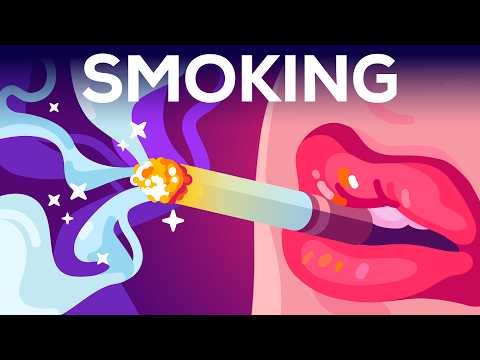
    11:45Hút thuốc thật tuyệt vời (Smoking is Awesome)
    • Beta-endorphins reduce pain and stress.

      đến não của bạn nhanh đến mức có cảm giác tức thời. Tác dụng tích cực đến ngay lập tức.

    • Beta endorphins reduce pain and stress.

      Nếu não của bạn có một bảng điều khiển, việc hút thuốc sẽ giống như nhấn tất cả các nút cùng một lúc,

    B1 trung cấp

    Bài kiểm tra Nghe TOEIC 19. Bộ TOEIC Châu Á. Kỳ thi Nhật Bản 2023. (TOEIC Listening Test 19. TOEIC Asia set. Japan examination 2023.)

    45:14Bài kiểm tra Nghe TOEIC 19. Bộ TOEIC Châu Á. Kỳ thi Nhật Bản 2023. (TOEIC Listening Test 19. TOEIC Asia set. Japan examination 2023.)
    • Remember, during the beta trial period, volunteers are strictly forbidden to release any details about the product.

      Hãy nhớ, trong thời gian thử nghiệm beta, các tình nguyện viên bị nghiêm cấm tiết lộ bất kỳ chi tiết nào về sản phẩm.

    • Remember, during the beta trial period, volunteers are strictly forbidden to release any details about the product.

      Hãy nhớ, trong thời gian thử nghiệm beta, các tình nguyện viên bị nghiêm cấm tiết lộ bất kỳ chi tiết nào về sản phẩm.

    A2 sơ cấp

    Câu Nói Cấm Mở Cánh Cổng Giữa Tâm Trí và Thực Tại | Jacobo Grinberg (The Forbidden Sentence That Opens the Gate Between Mind and Reality | Jacobo Grinberg)

    18:55Câu Nói Cấm Mở Cánh Cổng Giữa Tâm Trí và Thực Tại | Jacobo Grinberg (The Forbidden Sentence That Opens the Gate Between Mind and Reality | Jacobo Grinberg)
    • In this phase, brain waves slow down, leaving beta, moving through alpha,

      Có một khoảnh khắc mỗi ngày khi tâm trí bạn đi qua một cánh cổng im lặng.

    • In this phase, brain waves slow down, leaving beta, moving through alpha and reaching theta, the same waves that dominate a child's mind in the first years of life.

      Trong giai đoạn này, sóng não chậm lại, rời khỏi beta, đi qua alpha và đạt đến theta, những sóng chiếm ưu thế trong tâm trí trẻ thơ trong những năm đầu đời.

    B1 trung cấp

    Hướng dẫn Auto Layout Figma cho người mới bắt đầu (2025) (Figma Auto Layout Tutorial for Beginners (2025))

    08:51Hướng dẫn Auto Layout Figma cho người mới bắt đầu (2025) (Figma Auto Layout Tutorial for Beginners (2025))
    • This arranges your elements vertically The third one is Horizontal It arranges your elements horizontally The fourth one is Grid This is a new update still in beta It allows you to edit the layout in a grid format We'll go over each of these in detail Don't worry, by the end of this video, you'll understand how to use every single button here Let us start with the Freeform setting You'll see W and H right below this button W stands for Width and H stands for Height You can use these fields to adjust the size of your element You can type in a number, hover over the letter and drag to change it Or do it the most organic way Hover over the edge of the element and drag until you see a number you like I like multiples of 4 To the right, you'll see a square icon If you click it, it locks the aspect ratio of the element So the width and height stay proportional Let's say you are redesigning a YouTube thumbnail A YouTube thumbnail has a specific aspect ratio So locking it can prevent your cat, your kid, and mostly you from messing it up One very, very important thing Make sure you select the right layer In a real design project, you'll have so many layers So if you want to lock the aspect ratio of this circle, let's say Make sure to select the circle, not the frame That way, your circle will stay perfectly as a circle Not too fat, not too short Below Width, you'll find a field to adjust the gap between elements This only appears in freeform mode when your elements share the same gap At the bottom, you'll see the clip content checkbox This is super helpful when your frame is smaller than the elements inside For example, in a carousel design Checking clip content will hide the parts of the elements that extend outside the frame Alright, next let's move on to vertical and horizontal layouts These two are really similar So let's take a look at the horizontal one When you select a horizontal layout A wrap icon will appear on the right If you click it, the elements inside the frame will automatically wrap into multiple rows Perfect for when there's not enough space in a single line Below that, you'll see width and height settings Each with a drop-down If you click the drop-down, you can set the size to hug This makes the frame automatically adjust to fit its contents For example, if you add a new circle to the frame The width will automatically expand to hug the new element You can also set minimum or maximum values for width and height Let's say you don't want the frame to be wider than 750 pixels Just set the max width to 750 And even if you add more elements, the frame won't go beyond that limit Right below width, you'll see nine alignment options for your elements inside the frame These let you align your content to the top, center, bottom, left, right Basically any corner or edge you want You might not notice much difference right now if your frame is hugging the elements But once the frame is bigger, this alignment will become very obvious Next is the gap setting Click the drop-down and you'll see an option to set it to auto This automatically adjusts the space between elements to fill the frame evenly So satisfying to see everything snap into place Below that are your padding settings Padding is the space between the edge of the frame and the element inside it By default, padding is applied equally on parallel sides But if you click the little toggle next to it, you can customize the padding for each side Just like this Next, let's move to grid A brand new and still in beta feature in Figma Alright, I have a love-hate relationship with this, okay?

      Điều này sắp xếp các yếu tố của bạn theo chiều dọc. Tùy chọn thứ ba là Horizontal. Nó sắp xếp các yếu tố của bạn theo chiều ngang. Tùy chọn thứ tư là Grid. Đây là bản cập nhật mới vẫn đang ở giai đoạn beta. Nó cho phép bạn chỉnh sửa bố cục theo định dạng

    • This is a new update, still in beta.
    B1 trung cấp

    Cách tôi xây dựng nó: SaaS siêu nhỏ trị giá 9.000 đô la mỗi tháng (How I Built It: $9,000 Per Month Micro SaaS)

    15:36Cách tôi xây dựng nó: SaaS siêu nhỏ trị giá 9.000 đô la mỗi tháng (How I Built It: $9,000 Per Month Micro SaaS)
    • I was confident to build an MVP in 2 weeks, so I just built the MVP and started to find users and beta testers to give it a shot.

      Tôi tự tin có thể xây dựng một sản phẩm tối thiểu khả thi (MVP) trong hai tuần.

    • So I just built the MVP and started to find users and beta testers to do the job.

      Vậy là tôi đã xây dựng phiên bản MVP và bắt đầu tìm kiếm người dùng và người thử nghiệm beta để thực hiện công việc.

    A2 sơ cấp

    Chim Cò (2016) 4K - Sói Yêu Em Bé! (3/10) | Movieclips (Storks (2016) 4K - Wolves Love Babies! (3/10) | Movieclips)
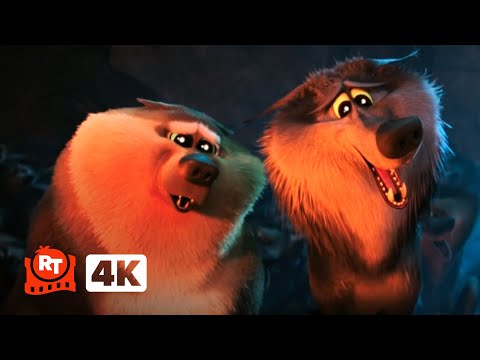
    03:03Chim Cò (2016) 4K - Sói Yêu Em Bé! (3/10) | Movieclips (Storks (2016) 4K - Wolves Love Babies! (3/10) | Movieclips)
    • You—you're not even a Beta.

      Anh—anh thậm chí còn không phải là Beta.

    • You're not even a Beta.

      Hả?

    A2 sơ cấp

    Top 30 Thất Bại Công Nghệ Lớn Nhất Mọi Thời Đại (Top 30 Biggest Tech Product FAILS of All Time)

    27:33Top 30 Thất Bại Công Nghệ Lớn Nhất Mọi Thời Đại (Top 30 Biggest Tech Product FAILS of All Time)
    • Also known as Beta.

      Còn được gọi là Beta.

    • Number 13: Betamax, also known as Beta.

      Còn được gọi là Beta.

    B1 trung cấp

    Thí nghiệm Mp3 Số Bảy (The Mp3 Experiment Seven)

    05:12Thí nghiệm Mp3 Số Bảy (The Mp3 Experiment Seven)
    • Beta interpolation is complete.

      (nhạc dance nổi lên)

    B1 trung cấp

    Samsung sao chép ý tưởng tệ nhất của Apple - Samsung Galaxy XR (Samsung copied Apple’s worst idea - Samsung Galaxy XR)

    14:50Samsung sao chép ý tưởng tệ nhất của Apple - Samsung Galaxy XR (Samsung copied Apple’s worst idea - Samsung Galaxy XR)
    • Or there's a beta app that allows you to do it on other devices.

      Có ai biết không?

    • Or there's a beta app that allows you to do it on other devices.

      Hoặc có một ứng dụng beta cho phép bạn thực hiện điều đó trên các thiết bị khác.

    B1 trung cấp