Footer

    Download on the App StoreGet it on Google Play

    Giới thiệu

    • Tìm hiểu về VoiceTube
    • Giới thiệu dịch vụ học tập
    • Tham gia cùng chúng tôi
    • Câu hỏi thường gặp
    • Chủ đề tìm kiếm hot

    Tổng quan dịch vụ

    • Sổ từ vựng và câu
    • Campus
    • Tra từ điển
    • Nhập video và tạo phụ đề

    Kênh nổi bật

    Phân cấp video

    • A1 sơ cấp
    • A2 sơ cấp
    • B1 trung cấp
    • B2 trung cao cấp
    • C1 cao cấp
    • C2 thành thạo

    Quyền riêng tư˙Điều khoản˙
    ©2026 VoiceTube Corporation. All rights reserved

    tutorial

    US /tu:ˈtɔ:riəl/

    ・

    UK /tju:ˈtɔ:riəl/

    B2 trung cao cấp
    n. (c./u.)danh từ (đếm được/không đếm được)1 bài học được dạy cho 1 nhóm nhỏ
    Please attend the tutorial tomorrow to revise your writing
    n. (c./u.)danh từ (đếm được/không đếm được)bài hướng dẫn
    The website offers a tutorial on how to use the new software.
    adj.tính từmang tính hướng dẫn
    The company created a tutorial video to help new users.

    Phụ đề video

    Trực tiếp / Chơi (Live / Play)

    38:01Trực tiếp / Chơi (Live / Play)
    • I was so bad I lost the tutorial.

      Chúng ta đang bước vào rift, mọi người.

    B1 trung cấp

    Tự làm son môi & son dưỡng từ kẹo! 3 dự án trang điểm DIY (Thiên hà, Cầu vồng) với AlejandraStyles (DIY Lipstick & Lip Balm Out of Candy! 3 DIY Makeup Projects (Galaxy, Rainbow) with AlejandraStyles)
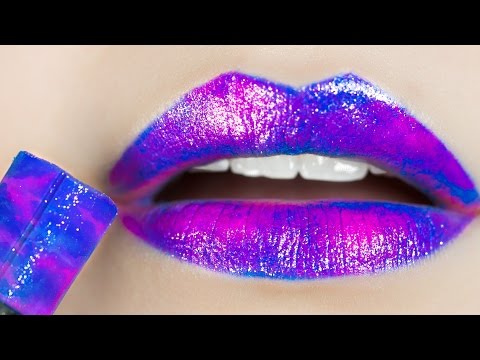
    08:05Tự làm son môi & son dưỡng từ kẹo! 3 dự án trang điểm DIY (Thiên hà, Cầu vồng) với AlejandraStyles (DIY Lipstick & Lip Balm Out of Candy! 3 DIY Makeup Projects (Galaxy, Rainbow) with AlejandraStyles)
    • an awesome DIY lipsticks tutorial as well and you should definitely check it out – it

      sẽ được liên kết trong phần cuối của video này và trong mô tả bên dưới. Nhưng trước tiên chúng ta hãy

    • She made an awesome DIY lipsticks tutorial as well and you should definitely check it out.

      cùng làm một số son môi từ kẹo ngọt nhé !

    B2 trung cao cấp

    Hà mã con tên Moo trở thành hiện tượng lan truyền trên mạng (Baby Hippo named Moo becomes viral sensation)

    01:33Hà mã con tên Moo trở thành hiện tượng lan truyền trên mạng (Baby Hippo named Moo becomes viral sensation)
    • But despite Moo Dang's newfound fame, from pants to fan art, even a makeup tutorial from Sephora, this baby hippo is sticking to what she does best: a healthy mix of sleeping, screaming,

      Nhưng bất chấp sự nổi tiếng mới của Moo Dang, từ quần áo đến fan art, thậm chí cả một video hướng dẫn trang điểm từ Sephora, chú hà mã con này vẫn giữ vững những gì mình làm tốt nhất: một sự kết hợp lành mạnh giữa ngủ, gào thét,

    • But despite Moo Dang's newfound fame, from pants to fan art, even a makeup tutorial from Sephora, this baby hippo is sticking to what she does best: a healthy mix of sleeping, screaming,

      Nhưng bất chấp sự nổi tiếng mới của Moo Dang, từ quần áo đến fan art, thậm chí cả một video hướng dẫn trang điểm từ Sephora, chú hà mã con này vẫn giữ vững những gì mình làm tốt nhất: một sự kết hợp lành mạnh giữa ngủ, gào thét,

    B2 trung cao cấp

    Lịch sử Halloween (The History of Halloween)

    03:29Lịch sử Halloween (The History of Halloween)
    • For Halloween costume and makeup ideas, head to watchmojo.com for our easy and fun tutorial videos.
    • For Halloween costume and makeup ideas, head to WatchMojo.com for our easy and fun tutorial videos.

      Để có ý tưởng hóa trang và trang điểm Halloween, hãy truy cập WatchMojo.com để xem các video hướng dẫn dễ dàng và thú vị của chúng tôi.

    B2 trung cao cấp

    Viết Tổng quan Tài liệu (Phần Một): Hướng dẫn Từng bước cho Sinh viên Sau Đại học (Writing the Literature Review (Part One): Step-by-Step Tutorial for Graduate Students)

    05:22Viết Tổng quan Tài liệu (Phần Một): Hướng dẫn Từng bước cho Sinh viên Sau Đại học (Writing the Literature Review (Part One): Step-by-Step Tutorial for Graduate Students)
    • Writing the Literature Review, an Effective Writing Center Tutorial, here at the University of Maryland, University College.
    • Writing the Literature Review: an effective writing center tutorial here at the University of Maryland University College.

      Viết Tổng quan tài liệu: một hướng dẫn hiệu quả của trung tâm viết tại Đại học Maryland University College.

    A2 sơ cấp

    Cách Mod Smash Ultimate trên Yuzu (Không cần Ultimate Mod Manager) [Phương pháp thay thế] (How to Mod Smash Ultimate in yuzu (No Ultimate Mod Manager) [Alternative Method])

    10:44Cách Mod Smash Ultimate trên Yuzu (Không cần Ultimate Mod Manager) [Phương pháp thay thế] (How to Mod Smash Ultimate in yuzu (No Ultimate Mod Manager) [Alternative Method])
    • And for this, I and also the tutorial will definitely recommend that you have a modded switch, from that you can dump the keys and also the other files that you will need to have Yuzu running at all.

      Và vì vậy, tôi và cả hướng dẫn này đều khuyên bạn nên sử dụng một công tắc đã được mod, từ đó bạn có thể sao chép các khóa và các tệp khác mà bạn cần để Yuzu có thể hoạt động bình thường.

    • How that works, I won't show in this tutorial.

      Cách thức hoạt động của điều đó, tôi sẽ không trình bày trong hướng dẫn này.

    B2 trung cao cấp

    Tuổi tinh thần của bạn là bao nhiêu? - Bài kiểm tra (What is Your Mental Age?- Test)

    08:04Tuổi tinh thần của bạn là bao nhiêu? - Bài kiểm tra (What is Your Mental Age?- Test)
    • Say "cool" and try to figure it out with a YouTube tutorial.

      Hoặc 5.

    • Say cool and try to figure it out with a YouTube tutorial.

      Nói "ngầu" và cố gắng tìm hiểu bằng một video hướng dẫn trên YouTube.

    B1 trung cấp

    Adobe Stock vs Shutterstock: Danh sách xếp hạng so sánh Adobe Stock và Shutterstock cho nội dung của bạn (Adobe Stock vs Shutterstock Tier List: A Comparison of Adobe Stock and Shutterstock for Your Content)

    04:02Adobe Stock vs Shutterstock: Danh sách xếp hạng so sánh Adobe Stock và Shutterstock cho nội dung của bạn (Adobe Stock vs Shutterstock Tier List: A Comparison of Adobe Stock and Shutterstock for Your Content)
    • If you're curious about becoming a contributor on Shutterstock and Adobe Stock, check out the tutorial on my YouTube channel, Facebook or TikTok.

      Nếu bạn tò mò muốn trở thành người đóng góp trên Shutterstock và Adobe Stock, hãy xem hướng dẫn trên kênh YouTube, Facebook hoặc TikTok của tôi.

    • If you're curious about becoming a contributor on Shutterstock and Adobe Stock, check out the tutorial on my YouTube channel, Facebook, or TikTok.

      Hãy bắt đầu với Đơn đăng ký người đóng góp.

    B2 trung cao cấp

    Hướng dẫn Auto Layout Figma cho người mới bắt đầu (2025) (Figma Auto Layout Tutorial for Beginners (2025))

    08:51Hướng dẫn Auto Layout Figma cho người mới bắt đầu (2025) (Figma Auto Layout Tutorial for Beginners (2025))
    • Because it was released literally one day after I finished editing my last auto layout tutorial So now here I am redoing everything all over again and throwing my last edit to trash But hey, it's a powerful feature With grid, you can snap your elements into a clean grid layout You can also set your elements to span multiple rows or columns Think about designing bento boxes on a website But I still don't like bento box, bleh You can also manually adjust the width and height of each row or column Like this On the right panel, you'll find controls to set up as many rows and columns as you want Just click this big grid thingy And with the grid layout, you can also select the element's unit And set their width and height to fill container I love this setting Now, whenever you change the gap size or resize the frame All the elements will adjust automatically to fill in those grids So satisfying There is one more button The auto layout settings button on the right Click this opens more controls Let's try an example by adding a thick stroke to these circles By default, the stroke will go outside the frame If you change the dropdown to include the stroke in the layout The strokes will stay inside the frame So this is what it does I actually haven't had a chance to use this Now, let us set the gap between elements to a negative number Think about Instagram like where the profile pictures overlap You can use the dropdown here to switch between Whether you want the first or last element to show on top Just one more setting left For this one, let's add an icon and some text If you use auto layout, they'll align automatically And if you make the text bigger, the layout will adjust like this But if you turn on align text baseline The icon will align with the baseline of the text No matter how big or small the text gets However, this doesn't work well with icons that have padding inside Which is like all of the icons I use So I don't know how to use this Now let's talk about using auto layout in a real-world scenario This is really really important So pay attention Take this YouTube card element as an example How would you fix this layout using auto layout?

      Vì nó được phát hành chỉ một ngày sau khi tôi hoàn thành việc chỉnh sửa bài hướng dẫn tự động bố cục cuối cùng của mình. Vậy là bây giờ tôi phải làm lại mọi thứ từ đầu và vứt bản chỉnh sửa cuối cùng vào thùng rác. Nhưng mà, đây là một tính năng mạnh mẽ. V

    • The answer is that you will need multiple layers of auto layout If you just select everything and click the auto layout button And hope that Figma will make it right for you It probably will mess things up So instead, you need to add an auto layout At least one auto layout between the title and subtext This keeps the gap consistent Even if the title spans into three lines or becomes one line You'll also need auto layout for the timestamp Because the timestamp can get longer or shorter And while this next part isn't part of this tutorial You will also want to add a bottom right constraint to the timestamp Because you want it to align to the right bottom And for the larger section that stacked multiple cards You also need another layer of auto layout to keep the spacing between each card So basically you need many many layers of auto layouts And trust me, it is worth it Now you've learned so much about auto layout I am so proud of you But before you go, let's talk about best practices Auto layout is amazing when you are confident about your final design It works great for high-fidelity designs like detailed mockups However, if you are still at the early stage of your project It might not be the best tool Because it can make small adjustments harder You may end up ungrouping things over and over again Just to make one small change One last thing Auto layout works really well with components Especially for repetitive elements But that's a lesson for another day You've learned a lot already If you learned something today Hit subscribe and turn on all notifications If you want to transition your career this year And become a designer in tech Check out my program FastTrackUX I'm Aliana This is part of my Figma tutorial playlist Thank you for watching And I will see you in this video That's a jam This is a jam And that's also a jam Alright, bye

      Câu trả lời là bạn sẽ cần nhiều lớp bố cục tự động. Nếu bạn chỉ chọn tất cả và nhấp vào nút bố cục tự động, và hy vọng Figma sẽ làm đúng cho bạn, thì có thể nó sẽ làm hỏng mọi thứ. Thay vào đó, bạn cần thêm một bố cục tự động. Ít nhất một bố cục tự động g

    B1 trung cấp

    Nhưng hình ảnh và video AI thực sự hoạt động như thế nào? | Video khách mời của Welch Labs (But how do AI images and videos actually work? | Guest video by Welch Labs)
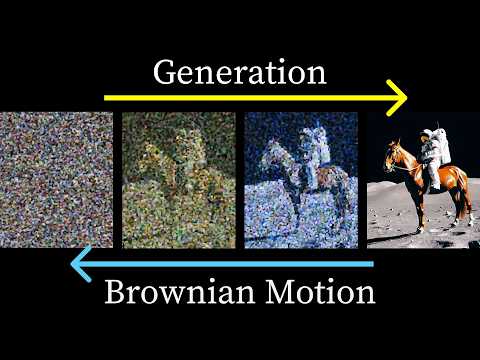
    37:20Nhưng hình ảnh và video AI thực sự hoạt động như thế nào? | Video khách mời của Welch Labs (But how do AI images and videos actually work? | Guest video by Welch Labs)
    • I'll include a link to a great tutorial in the description if you want to dig deeper into the theory.

      Tôi sẽ đính kèm một liên kết đến một hướng dẫn tuyệt vời trong phần mô tả nếu bạn muốn tìm hiểu sâu hơn về lý thuyết.

    • I'll include a link to a great tutorial in the description if you want to dig deeper into the theory.

      Quá trình này tương đương với chuyển động Brownian, là quá trình điều khiển các quá trình khuếch tán trong vật lý và chính từ đây mà các mô hình khuếch tán được đặt tên.

    B2 trung cao cấp