vertically
US /ˈvə:tɪkl:ɪ/
・UK /'vɜ:tɪklɪ/
B1 trung cấp
adv.trạng từtheo chiều dọc
He kicked the ball vertically into the air
adv.trạng từxếp dọc
The books were stacked vertically on the shelf.
Phụ đề video
Pin xe điện đã qua sử dụng được biến đổi thành trung tâm dữ liệu để cung cấp năng lượng cho AI như thế nào (How Used EV Batteries Are Being Turned Into Data Centers To Power AI)
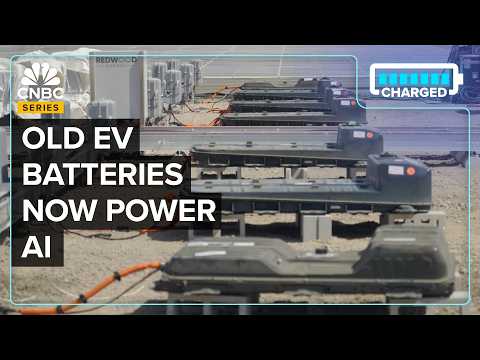
- This facility here in Sparks were vertically integrated all the way through incoming batteries and materials storage, sorting, then initial processing and refining, and
Cơ sở này ở Sparks đã tích hợp theo chiều dọc toàn bộ quy trình từ pin và lưu trữ vật liệu đầu vào, phân loại, sau đó xử lý và tinh chế ban đầu, và
- This facility here in Sparks, we're vertically integrated all the way through incoming batteries and materials, storage, sorting, then initial processing and refining, and
Cơ sở này ở Sparks đã tích hợp theo chiều dọc toàn bộ quy trình từ pin và lưu trữ vật liệu đầu vào, phân loại, sau đó xử lý và tinh chế ban đầu, và
iPhone đã thay đổi Bộ lọc RF mãi mãi (The iPhone Forever Changed the RF Filter)

- The waves travel between those electrodes vertically—up and down—through the piezoelectric material.
Những sóng này không chỉ di chuyển nhanh hơn mà còn đi xa hơn mà không bị suy giảm.
- The waves travel between those electrodes vertically, up and down through the piezoelectric material.
Sóng di chuyển giữa các điện cực đó theo chiều dọc, lên xuống qua vật liệu áp điện.
PHÂN BỔ TRỌNG LƯỢNG & TƯ THẾ CƠ BẢN ĐÚNG KHI TRƯỢT VÁN TUYẾT (WEIGHT DISTRIBUTION & CORRECT BASIC STANCE FOR SNOWBOARDING)

- Put 70% of your weight on the front foot." But all of that is to do is simply to encourage them to get out of this position and shift them into this stacked position where their hips and knees are stacked vertically over their ankles, and
Dồn 70% trọng lượng lên chân trước." Nhưng tất cả những điều đó chỉ đơn giản là khuyến khích họ thoát khỏi tư thế này và chuyển sang tư thế thẳng hàng, nơi hông và đầu gối của họ thẳng hàng theo chiều dọc với mắt cá chân,
- Put 70% of your weight on the front foot." But all of that is to do is simply to encourage them to get out of this position and shift them into this stacked position where their hips and knees are stacked vertically over their ankles,
Dồn 70% trọng lượng lên chân trước." Nhưng tất cả những điều đó chỉ đơn giản là khuyến khích họ thoát khỏi tư thế này và chuyển sang tư thế thẳng hàng, nơi hông và đầu gối của họ thẳng hàng theo chiều dọc với mắt cá chân,
Tại sao Hermès Phát Triển Trong Khi LVMH và Gucci Suy Giảm (Why Hermès Is Growing While LVMH And Gucci Decline)

- Hermes is a vertically integrated company that's still run by the founding family.
Hermes là một công ty tích hợp dọc vẫn do gia đình sáng lập điều hành.
- Hermès is a vertically integrated company that's still run by the founding family.
Họ rất quyết tâm bám sát những gì đã chứng minh hiệu quả và cách làm việc của mình.

Những gì DJI Air 3 nhàm chán nói về ngành công nghiệp máy bay không người lái (What the uninspiring DJI Air 3 says about the drone industry)

- But now you have to choose between wanting an extra lens on the Air 3 or the ability to film vertically on the Mini 3, and I just wish we could have both.
Nhưng bây giờ bạn phải lựa chọn giữa việc muốn có thêm một ống kính trên Air 3 hay khả năng quay dọc trên Mini 3, và tôi chỉ ước chúng ta có thể có cả hai.
- So there is a dedicated vertical mode, which basically works as if you were filming open gate, meaning it's a bit taller than just cropping horizontal footage vertically, but it is not full 4K, it is capped at 2.7K, but I think it looks pretty good, it'll work in a pinch.
Vì vậy, có một chế độ dọc chuyên dụng, về cơ bản hoạt động như thể bạn đang quay open gate, nghĩa là nó cao hơn một chút so với việc chỉ cắt cảnh ngang theo chiều dọc, nhưng nó không phải là 4K đầy đủ, nó bị giới hạn ở 2.7K, nhưng tôi nghĩ nó trông khá tố
Có câu hỏi nào về tương lai của ô tô không? | Hỗ trợ kỹ thuật | WIRED Nhật Bản (自動車の未来について質問ある?| Tech Support | WIRED Japan)
- @Kuchurya wonders, "How will flying cars operate?" There are several manufacturers out there looking at very light aircraft that could take off and land vertically and might travel electrically over 50 to 60 miles, looking a lot like bigger versions of the drones you may be flying.
Chiếc xe đó rõ ràng sẽ không cần vô lăng, nhưng điều đó còn rất xa trong tương lai.
- There are several manufacturers out there looking at very light aircraft that could take off and land vertically and might travel electrically over 50 to 60 miles, looking a lot like bigger versions of the drones you may be flying.
Có một số nhà sản xuất đang xem xét máy bay rất nhẹ có thể cất cánh và hạ cánh theo chiều dọc và có thể di chuyển bằng điện trên quãng đường 50 đến 60 dặm, trông giống như các phiên bản lớn hơn của máy bay không người lái mà bạn có thể đang điều khiển.
"Chức năng hay Thẩm mỹ" - Kiến trúc sư nói về quy tắc sân bay tốt | WIRED Japan (「機能性vs美しさ」建築家が語る、良い空港の法則|WIRED Japan)
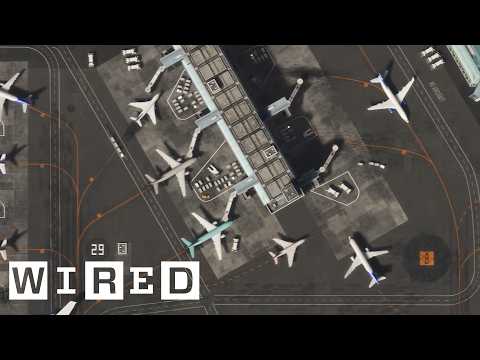
- And the way they did this was to separate the passenger traffic vertically based on whether you were arriving or departing.
Và cách họ làm điều này là phân tách giao thông hành khách theo chiều dọc dựa trên việc bạn đang đến hay đi.
- And the way they did this was to separate the passenger traffic vertically, based on whether you were arriving or departing.
Vì vậy, thông thường, sân bay được thiết kế trên hai tầng.
Unity 4.3 - Hướng dẫn phát triển Game 2D (Unity 4.3 - 2D Game Development Walkthrough)

- The Super Mario World camera used particular heights to snap to vertically,
Polygon Collider của Unity cho phép chúng tôi
- For this reason, our camera employs similar tracking vertically as it does horizontally.
Điều này thậm chí còn có nghĩa là chúng tôi có thể tinh chỉnh hình dạng của
Vui vẻ tại nhà! Học từ vựng và cụm từ tiếng Anh cho những hoạt động vui chơi tại nhà (Fun at Home! Learn English Words and Phrases for Fun Things to Do At Home)

- A crossword puzzle gives you a hint so that you can figure out what word goes horizontally or vertically into the puzzle.
Đây là một cách thú vị để ở lại nhà vào buổi tối.
- or vertically into the puzzle.
Một câu đố ô chữ đưa cho bạn một gợi ý để bạn