Footer

    Download on the App StoreGet it on Google Play

    Giới thiệu

    • Tìm hiểu về VoiceTube
    • Giới thiệu dịch vụ học tập
    • Tham gia cùng chúng tôi
    • Câu hỏi thường gặp
    • Chủ đề tìm kiếm hot

    Tổng quan dịch vụ

    • Sổ từ vựng và câu
    • Campus
    • Tra từ điển
    • Nhập video và tạo phụ đề

    Kênh nổi bật

    Phân cấp video

    • A1 sơ cấp
    • A2 sơ cấp
    • B1 trung cấp
    • B2 trung cao cấp
    • C1 cao cấp
    • C2 thành thạo

    Quyền riêng tư˙Điều khoản˙
    ©2026 VoiceTube Corporation. All rights reserved

    horizontally

    US

    ・

    UK

    B1 trung cấp
    adv.trạng từngang, nằm ngang
    Hold the dish horizontally, please

    Phụ đề video

    Hướng dẫn Amazon Web Services - Tự động mở rộng ứng dụng của bạn (Amazon Web Services Tutorial - Auto scaling your applications)

    07:59Hướng dẫn Amazon Web Services - Tự động mở rộng ứng dụng của bạn (Amazon Web Services Tutorial - Auto scaling your applications)
    • Okay, if you're totally new to these concepts of horizontally scaling servers in your application design, search our catalog for AWS high availability, and we have a few courses that'll show you how to keep your application running when a single server fails, or when that single server gets overloaded due to high demand.

      Được rồi, nếu bạn hoàn toàn mới với khái niệm mở rộng ngang (horizontal scaling) máy chủ trong thiết kế ứng dụng, hãy tìm kiếm trong danh mục của chúng tôi về tính sẵn sàng cao (high availability) của AWS. Chúng tôi có một số khóa học sẽ hướng dẫn bạn các

    • If you're totally new to these concepts of horizontally scaling servers in your application design, search our catalog for AWS High Availability,

      Sau đó, nhấp vào menu xổ xuống "Actions" ở phía trên và xem qua một số tùy chọn sau đây.

    B1 trung cấp

    Turbulence không khí rõ ràng là gì và chuyến bay SQ321 đã bị ảnh hưởng như thế nào? (What is clear-air turbulence and how was SQ321 affected?)

    03:48Turbulence không khí rõ ràng là gì và chuyến bay SQ321 đã bị ảnh hưởng như thế nào? (What is clear-air turbulence and how was SQ321 affected?)
    • Other sources of CAT include airflow over mountainous terrain, as well as when planes pass through the vicinity of thunderstorms, such as when passing horizontally 5,000 feet above a cumulonimbus cloud.

      Nhìn vào số lượng thương tích, tôi tin rằng chiếc máy bay,

    • such as wind passing horizontally 5,000ft above a cumulonimbus cloud.
    B2 trung cao cấp

    Văn phòng phẩm Nhật Bản này dùng thích thật (This Japanese stationery is so satisfying to use)

    04:52Văn phòng phẩm Nhật Bản này dùng thích thật (This Japanese stationery is so satisfying to use)
    • The Clyde Original Landscape Notebook comes in A5, just oriented horizontally instead of vertically.

      Sổ tay phong cảnh Clyde Original có kích thước A5, được thiết kế nằm ngang thay vì dọc.

    • The Clyde Original Landscape Notebook comes in A5, just oriented horizontally instead of vertically.

      Sổ tay xoắn ốc ngang Rolban của Delphonic có chiều cao bằng một nửa so với sổ tay A5, được trang bị giấy kẻ ô màu kem không chứa gỗ, gáy xoắn đôi và túi trong suốt để đựng các tờ giấy rời.

    B1 trung cấp

    Mẹo Vặt Buổi Sáng - 35 Mẹo Vặt Và Dự Án Tự Làm Bạn Cần Thử! (Morning Routine Life Hacks - 35 Life Hacks and DIY Projects You Need to Try!)

    17:58Mẹo Vặt Buổi Sáng - 35 Mẹo Vặt Và Dự Án Tự Làm Bạn Cần Thử! (Morning Routine Life Hacks - 35 Life Hacks and DIY Projects You Need to Try!)
    • make cuts vertically and horizontally cutting all the way to the peel.

      cắt dọc rồi ngang hết miếng xoài

    • Take this mango piece and with the tip of the knife, make cuts vertically and horizontally, cutting all the way to the peel.

      làm những viên đá quả mâm xôi xinh đẹp này. Cho một quả mâm xôi vào từng ô đá

    B1 trung cấp

    Hướng dẫn Photoshop - Xóa vật thể khỏi ảnh (Photoshop Tutorial - Removing objects from images)

    19:03Hướng dẫn Photoshop - Xóa vật thể khỏi ảnh (Photoshop Tutorial - Removing objects from images)
    • If I wanted to flip this I could also right click within the transformation handles and choose to flip this horizontally.

      Nếu tôi muốn lật hình ảnh này, tôi có thể nhấp chuột phải vào các điểm điều chỉnh biến đổi và chọn "Lật ngang".

    • If I wanted to flip this, I could also right-click within the transformation handles and choose to flip this horizontally.
    B1 trung cấp

    Hướng dẫn Auto Layout Figma cho người mới bắt đầu (2025) (Figma Auto Layout Tutorial for Beginners (2025))

    08:51Hướng dẫn Auto Layout Figma cho người mới bắt đầu (2025) (Figma Auto Layout Tutorial for Beginners (2025))
    • This arranges your elements vertically The third one is Horizontal It arranges your elements horizontally The fourth one is Grid This is a new update still in beta It allows you to edit the layout in a grid format We'll go over each of these in detail Don't worry, by the end of this video, you'll understand how to use every single button here Let us start with the Freeform setting You'll see W and H right below this button W stands for Width and H stands for Height You can use these fields to adjust the size of your element You can type in a number, hover over the letter and drag to change it Or do it the most organic way Hover over the edge of the element and drag until you see a number you like I like multiples of 4 To the right, you'll see a square icon If you click it, it locks the aspect ratio of the element So the width and height stay proportional Let's say you are redesigning a YouTube thumbnail A YouTube thumbnail has a specific aspect ratio So locking it can prevent your cat, your kid, and mostly you from messing it up One very, very important thing Make sure you select the right layer In a real design project, you'll have so many layers So if you want to lock the aspect ratio of this circle, let's say Make sure to select the circle, not the frame That way, your circle will stay perfectly as a circle Not too fat, not too short Below Width, you'll find a field to adjust the gap between elements This only appears in freeform mode when your elements share the same gap At the bottom, you'll see the clip content checkbox This is super helpful when your frame is smaller than the elements inside For example, in a carousel design Checking clip content will hide the parts of the elements that extend outside the frame Alright, next let's move on to vertical and horizontal layouts These two are really similar So let's take a look at the horizontal one When you select a horizontal layout A wrap icon will appear on the right If you click it, the elements inside the frame will automatically wrap into multiple rows Perfect for when there's not enough space in a single line Below that, you'll see width and height settings Each with a drop-down If you click the drop-down, you can set the size to hug This makes the frame automatically adjust to fit its contents For example, if you add a new circle to the frame The width will automatically expand to hug the new element You can also set minimum or maximum values for width and height Let's say you don't want the frame to be wider than 750 pixels Just set the max width to 750 And even if you add more elements, the frame won't go beyond that limit Right below width, you'll see nine alignment options for your elements inside the frame These let you align your content to the top, center, bottom, left, right Basically any corner or edge you want You might not notice much difference right now if your frame is hugging the elements But once the frame is bigger, this alignment will become very obvious Next is the gap setting Click the drop-down and you'll see an option to set it to auto This automatically adjusts the space between elements to fill the frame evenly So satisfying to see everything snap into place Below that are your padding settings Padding is the space between the edge of the frame and the element inside it By default, padding is applied equally on parallel sides But if you click the little toggle next to it, you can customize the padding for each side Just like this Next, let's move to grid A brand new and still in beta feature in Figma Alright, I have a love-hate relationship with this, okay?

      Điều này sắp xếp các yếu tố của bạn theo chiều dọc. Tùy chọn thứ ba là Horizontal. Nó sắp xếp các yếu tố của bạn theo chiều ngang. Tùy chọn thứ tư là Grid. Đây là bản cập nhật mới vẫn đang ở giai đoạn beta. Nó cho phép bạn chỉnh sửa bố cục theo định dạng

    • It arranges your elements horizontally.
    B1 trung cấp

    Bài giảng 3. Nhịp điệu: Các Nguyên tắc Cơ bản (Lecture 3. Rhythm: Fundamentals)

    48:58Bài giảng 3. Nhịp điệu: Các Nguyên tắc Cơ bản (Lecture 3. Rhythm: Fundamentals)
    • Well, if you go back to the formation of musical notation from the 9th to the 12th centuries, we see that very early on, these two dimensions of music, the two axes of music that we talked about before, pitch vertically and duration horizontally, are in place,

      sau buổi giảng hôm nọ để lấy tài liệu cho anh ấy.

    • pitch vertically and duration horizontally,

      cao độ theo chiều dọc và trường độ theo chiều ngang,

    B1 trung cấp

    Làm thế nào để trở thành người giữ kỷ lục thế giới về "ném đá vượt hồ"? Người nắm giữ kỷ lục giải thích | WIRED Japan (なぜ「水切り」の世界記録保持者になれたのか?本人が解説 | WIRED Japan)
    09:53Làm thế nào để trở thành người giữ kỷ lục thế giới về "ném đá vượt hồ"? Người nắm giữ kỷ lục giải thích | WIRED Japan (なぜ「水切り」の世界記録保持者になれたのか?本人が解説 | WIRED Japan)
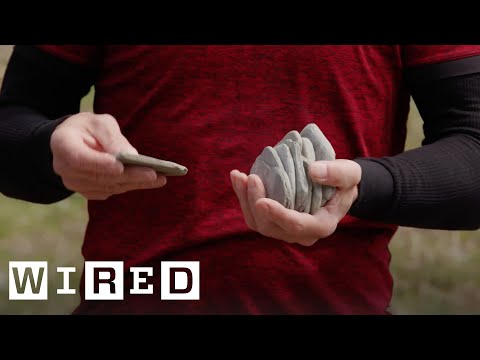
    • The breeze from behind helps so you can release it more horizontally.

      Làn gió từ phía sau giúp bạn có thể thả nó theo chiều ngang hơn.

    • The breeze from behind helps so you can release it more horizontally.

      Đó có phải là cát không?

    B1 trung cấp

    Phần 3 - Truyện Jane Eyre Audiobook của Charlotte Bronte (Chương 12-16) (Part 3 - Jane Eyre Audiobook by Charlotte Bronte (Chs 12-16))
    14:48Phần 3 - Truyện Jane Eyre Audiobook của Charlotte Bronte (Chương 12-16) (Part 3 - Jane Eyre Audiobook by Charlotte Bronte (Chs 12-16))
    • and you shall be answerable for it: criticise me: does my forehead not please you?" He lifted up the sable-waves of hair, which lay horizontally over his brow,
    • and you shall be answerable for it: criticise me: does my forehead not please you?" He lifted up the sable-waves of hair, which lay horizontally over his brow,
    B1 trung cấp

    Unity 4.3 - Hướng dẫn phát triển Game 2D (Unity 4.3 - 2D Game Development Walkthrough)

    28:22Unity 4.3 - Hướng dẫn phát triển Game 2D (Unity 4.3 - 2D Game Development Walkthrough)
    • In Super Mario World, the camera tracks horizontally but uses a dead zone or margin in the centre of the viewport in which the character can move a little without the camera tracking.

      box colliders để đạt hiệu quả,

    • For this reason, our camera employs similar tracking vertically as it does horizontally.

      Điều này thậm chí còn có nghĩa là chúng tôi có thể tinh chỉnh hình dạng của

    B2 trung cao cấp