parameter
US /pəˈræmɪtɚ/
・UK /pəˈræmɪtə(r)/
B1 trung cấpTOEIC
n.danh từgiới hạn
The time parameter for this job is two weeks
Phụ đề video
Hướng dẫn Java - Khắc phục lỗi StackOverflow (Java Tutorial - Fixing StackOverflow Errors)
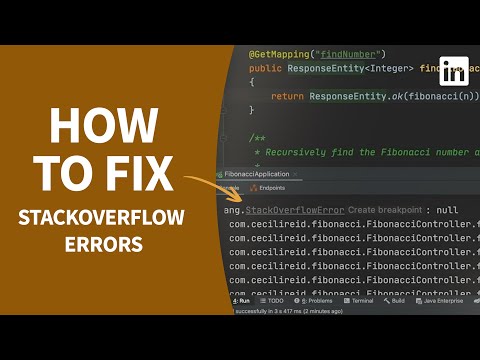
- This controller provides an endpoint defined on line 16 that takes in a request parameter of n.
Bộ điều khiển này cung cấp một điểm cuối được định nghĩa tại dòng 16, nhận tham số yêu cầu là n.
- This controller provides an endpoint defined on line 16 that takes in a request parameter of n.
Phương pháp này trả về một thực thể phản hồi với trạng thái HTTP là OK ở dòng 18, với nội dung phản hồi chứa số thứ n của dãy Fibonacci.
Vẽ Ánh Sáng và Hình Khối (Painting Light and Form)

- But there's one more parameter that we can throw into the mix, hard light versus soft light.
Nhưng có một thông số nữa mà chúng ta có thể đưa vào, ánh sáng gắt đối lập với ánh sáng dịu.
- But there's one more parameter that we can throw into the mix: hard light versus soft light.
Nhưng còn vào một ngày nhiều mây thì sao?
"Thuật Toán" là gì? Giảng viên Harvard chia sẻ kiến thức nền tảng và con đường hướng tới tương lai tiên tiến | 5 Cấp độ | WIRED Japan (「アルゴリズム」って何?ハーバードの教授が教える最先端を目指すための基礎と道のり | 5 Levels | WIRED Japan)

- They're huge, billions of parameter models, and it's difficult for us to interpret how they are able to do what they do.
Và các nhà khoa học dữ liệu, khác với cụm từ nhà khoa học máy tính, các nhà khoa học dữ liệu có còn suy nghĩ theo thuật ngữ của các thuật toán như là động lực chính của nó không?
- There are huge billions of parameter models, and it's difficult for us to interpret how they are able to do what they do.
Có những mô hình khổng lồ với hàng tỷ tham số, và thật khó để chúng ta diễn giải cách chúng có thể làm được những gì chúng làm.
Hướng dẫn cơ bản HOÀN CHỈNH FL Studio 12 (FL Studio 12 COMPLETE Basic Tutorial)
- It would seem that the y parameter defines the size,
Vì vậy, chúng ta sẽ tiếp tục với một trình tạo
- and the x parameter defines the decay, or how wet the reverb is.
và chọn một
Bài 3 | MIT 6.042J Toán học cho Khoa học Máy tính, Mùa thu 2010 (Lec 3 | MIT 6.042J Mathematics for Computer Science, Fall 2010)
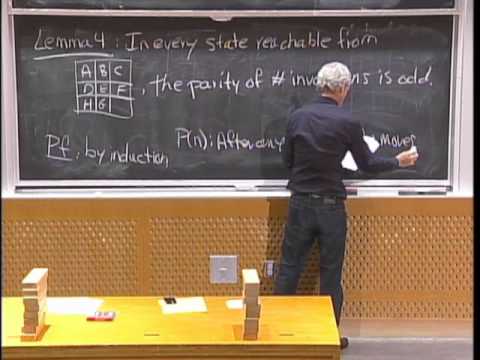
- And the parameter n is the number of moves you've taken.
Di chuyển theo hàng, thứ tự không đổi.
- And the parameter n is the number of moves you've taken.
Và tham số n là số bước bạn đã thực hiện.
Unity 4.3 - Hướng dẫn phát triển Game 2D (Unity 4.3 - 2D Game Development Walkthrough)

- and the first thing we do with this is to feed the value of horizontal input into the speed parameter of our animator.
chúng tôi không yêu cầu thêm bất kỳ thành phần nào
- The transition between idle and run in our simple state machine requires that the speed parameter is above 0.1.
trên đối tượng game sprite.
Chuỗi hướng dẫn ComfyUI: Tập 13 - Khám phá các mô hình Ollama, LLaVA, Gemma (ComfyUI Tutorial Series: Ep13 - Exploring Ollama, LLaVA, Gemma Models)

- Let me add the Gemma 7 billion parameter model as well.
Ví dụ, nếu tôi chụp ảnh màn hình của node này và chuyển sang ChatGPT rồi dán ảnh chụp màn hình đó.
- Let me add the Gemma 7 billion parameter model as well.
Để tôi thêm cả mô hình Gemma 7 tỷ tham số nữa.
JUCE Hướng dẫn 02 - Lớp AudioProcessor... Đi sâu vào Lớp Quan trọng Nhất trong JUCE! (JUCE Tutorial 02 - The AudioProcessor Class...A Deeper Dive into the Most Important Class in JUCE!)

- So typically your presets will be stored in some type of a vector with what you want each parameter to be set at, and that's how that would be stored.
Vì vậy, thông thường các preset của bạn sẽ được lưu trữ trong một loại vector với những gì bạn muốn mỗi tham số được đặt, và đó là cách nó sẽ được lưu trữ.
- So typically your presets will be stored in some type of a vector with, um, with what you want each parameter to be set at,
Một lần nữa, một phương thức mà tôi chưa thực sự sử dụng, nhưng tôi đoán rằng nó có thể hữu ích trong một số tình huống nhất định.
Cách Sử Dụng Gemini AI API Với Python | Hướng Dẫn Mới Nhất 2025 (How to Use Gemini AI API with Python | Latest 2025 Tutorial)

- So this is an important parameter and final one is the response type this is just text yeah nothing big over there and here genai.generativemodel and we are having two parameters here we are passing the model name in our case it's Gemini 2.0 flash.
Vì vậy, đây là một tham số quan trọng và cuối cùng là loại phản hồi, đây chỉ là văn bản, vâng, không có gì lớn ở đó và ở đây genai.generativemodel và chúng ta có hai tham số ở đây, chúng ta đang truyền tên mô hình, trong trường hợp của chúng ta là Gemini
- So that's basically the code and now let's go and ask a particular question so what I will do is let's just get the raw response and see and let me just just put a hello that's it this is going to be my input text or question so for running this is going to be python space Gemini underscore file dot py and before going into all make sure that you have python installed on your system that's really important and if you don't have python installed you can just click on the card that is appearing on top I will run an entire video on that so if I run it now ok I'm getting an error protocol message generation config has no response mime underscore type so yeah this is a generation config so I guess this particular parameter is not needed or something so I'll just remove this okay so now let's go and try again so we are getting an object okay so now let me just go with dot text I thought we will be getting a JSON something like that so again rerun it yeah here as you can see here we have got hello there how can I help you today so now what we are going to do is I'm just going to ask another question this time I will ask a question that gives us a lot of response so let me just go and ask essay on global warming that's it saving and rerunning so this is the output that it has given that's a lot that's really like five to ten paragraphs and what if you wanted to control the response because as I told you earlier the more output token it gets generated the more you will be charged and there are some conditions where you might want the response to be like two to three paragraphs in that case what you can do is here we are having the max output tokens as 8192 you can just change this to like 200 maybe so I'm just going with the exact same prompt now but this time we'll be at most getting two paragraphs so let me just run it again so now we have just got two paragraphs over here so this is basically how you control the output response also and in case if you want to know more about how to access this API key you can just go here and they will be having API documentation select it and here you will be having the entire guide on how to use this like fine-tuning structured outputs and other use cases for vision long context code execution there are like so many things you can just go through it as a guide because this is like a starting point okay and that's the video guys I hope you have found it useful do check the playlist of my channel I've done a lot of videos in programming Gemini API open AI API Sora chat GPT and other AI tools and credit operations check the playlist subscribe me thanks for watching
Vì vậy, đó cơ bản là mã và bây giờ chúng ta hãy đi và đặt một câu hỏi cụ thể, vì vậy những gì tôi sẽ làm là, chúng ta hãy lấy phản hồi thô và xem và để tôi chỉ cần đặt một lời chào, thế thôi, đây sẽ là văn bản đầu vào hoặc câu hỏi của tôi, vì vậy để chạy
Về Trí Tuệ Nhân Tạo (On Artificial Intelligence)

- If I show it 50,000 circles or 5 billion circles, and I give it a very small amount of parameter weights, which are its equivalent neurons, to memorize that, it's going to be much better off figuring out pi and how to draw a circle and what thickness means and forming an algorithmic representation of that circle rather than memorizing circles.
Khi bạn vẽ một bức tranh về một con mèo, có rất nhiều con mèo khác nhau mà bạn có thể vẽ.
- I give it a very small amount of parameter weights, which are its equivalent neurons to memorize that, it's going to be much better off figuring out PI and how to draw a circle and what thickness means and forming an algorithmic representation of that circle rather than memorizing circles.
Tôi cung cấp cho nó một lượng trọng số tham số rất nhỏ, tương đương với các neuron của nó để ghi nhớ điều đó, nó sẽ làm tốt hơn nhiều trong việc tìm ra PI và cách vẽ một hình tròn, cũng như ý nghĩa của độ dày và hình thành một biểu diễn thuật toán của hìn