Footer

    Download on the App StoreGet it on Google Play

    Giới thiệu

    • Tìm hiểu về VoiceTube
    • Giới thiệu dịch vụ học tập
    • Tham gia cùng chúng tôi
    • Câu hỏi thường gặp
    • Chủ đề tìm kiếm hot

    Tổng quan dịch vụ

    • Sổ từ vựng và câu
    • Campus
    • Tra từ điển
    • Nhập video và tạo phụ đề

    Kênh nổi bật

    Phân cấp video

    • A1 sơ cấp
    • A2 sơ cấp
    • B1 trung cấp
    • B2 trung cao cấp
    • C1 cao cấp
    • C2 thành thạo

    Quyền riêng tư˙Điều khoản˙
    ©2026 VoiceTube Corporation. All rights reserved

    width

    US /wɪdθ, wɪθ, wɪtθ/

    ・

    UK /wɪdθ/

    A1 sơ cấpTOEIC
    n. (u.)danh từ không đếm đượcchiều rộng, khoảng cách từ 1 phía của cái này đến cái kia
    The width of the park is one kilometer
    n. (u.)danh từ không đếm đượcmiếng vải được đo và cắt
    Use this width to make the dress

    Phụ đề video

    Cận Tết Dành Tặng Mọi Người Chiếc Cayenne Turbo "Bạo Chúa" Nhất Đài Loan - Tạm Biệt 2021 Hẹn Gặp Lại 2022 | EMC Vlog Vol. 59 (年末獻給大家全台最兇猛CAYENNE TURBO 感謝2021 我們2022見 ENDING 2021 WITH HOTTEST CAYENNE TURBO《EMC Vlog Vol. 59》)

    16:05Cận Tết Dành Tặng Mọi Người Chiếc Cayenne Turbo "Bạo Chúa" Nhất Đài Loan - Tạm Biệt 2021 Hẹn Gặp Lại 2022 | EMC Vlog Vol. 59 (年末獻給大家全台最兇猛CAYENNE TURBO 感謝2021 我們2022見 ENDING 2021 WITH HOTTEST CAYENNE TURBO《EMC Vlog Vol. 59》)
    • MTR Design, they actually made a rear tailpipe kit that connects to the rear exhaust and goes out to their rear bumper. We have laid out the MTR kit for you with the front bumper, rear bumper, side skirt and the front and rear arches. I want to make it a point that they use real dry carbon fiber pieces and this is actually going on the front bumper. Now this is the side skirt. It is dry carbon fiber as well, super lightweight but it will make the side skirt just pop out and have the extra effect of the side and it'll just look way more aerodynamic. I can't wait for this and now let me show you guys the fenders. So this is the front fender flares, carbon fiber as well. It's going to connect to the front bumper and it's going to go all the way down and it's going to look so sexy. I would say there's like three to four centimeters of extra width and that's where the

      MTR Design, họ thực sự đã làm một bộ ống xả phía sau kết nối với ống xả phía sau và đi ra cản sau của họ. Chúng tôi đã bố trí bộ MTR cho bạn với cản trước, cản sau, ốp sườn và vòm bánh xe trước và sau. Tôi muốn nhấn mạnh rằng họ sử dụng các chi tiết bằng

    • I would say there's like 3 to 4 cm of extra width,

      Tư thế, giờ đây nó hầm hố hơn nhiều. Nó cơ bắp hơn. Và mâm EMC, những chiếc mâm EMC Superstar này, chúng sẽ là một trong ba thiết kế chủ lực của mâm EMC.

    B1 trung cấp

    Cách tay đua F1 vào cua cực nhanh (How F1 racers turn really fast)
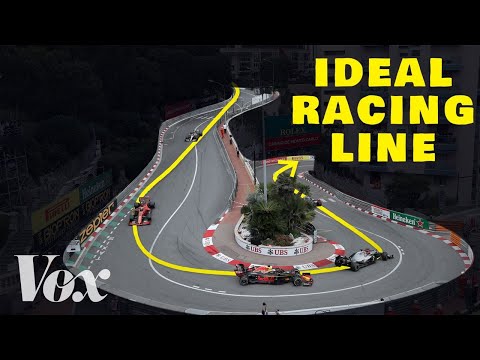
    06:29Cách tay đua F1 vào cua cực nhanh (How F1 racers turn really fast)
    • you would be going a lot further, like massively further, depending on the width of the track.

      bạn sẽ đi xa hơn nhiều, xa hơn đáng kể, tùy thuộc vào chiều rộng của đường đua.

    • You would be going a lot further, like massively further, depending on the width of the track.

      bạn sẽ đi xa hơn nhiều, xa hơn đáng kể, tùy thuộc vào chiều rộng của đường đua.

    B1 trung cấp

    Cuộc sống Rạn san hô ở Andaman (phim tài liệu sinh học biển đầy đủ) (Reef Life of the Andaman (full marine biology documentary))

    56:24Cuộc sống Rạn san hô ở Andaman (phim tài liệu sinh học biển đầy đủ) (Reef Life of the Andaman (full marine biology documentary))
    • Giant mantas can grow to a width of over 6 metres and a weight of over 2 tonnes.

      Cá thần tiên vành xanh Pomacanthus annularis King Cruiser, Vịnh Phang Nga

    • Giant mantas can grow to a width of over 6 meters

      Cá nhím vây đốm Diodon hystrix Marita's Rock, Racha Noi

    C1 cao cấp

    Quy tắc hành lý tàu hỏa của Nhật Bản khiến du khách bất ngờ (Japan’s Train Luggage Rule Is Catching Tourists Off Guard)

    10:19Quy tắc hành lý tàu hỏa của Nhật Bản khiến du khách bất ngờ (Japan’s Train Luggage Rule Is Catching Tourists Off Guard)
    • It's between 160 cm to 250 cm of total dimension, length, width, and height.

      Nó có tổng kích thước từ 160 cm đến 250 cm, bao gồm chiều dài, chiều rộng và chiều cao.

    • It's between 160 cm to 250 cm of total dimension, length, width, and height.

      Nó có tổng kích thước từ 160 cm đến 250 cm, bao gồm chiều dài, chiều rộng và chiều cao.

    B1 trung cấp

    Hệ thống phản ứng nhanh quân sự của EU có gì đằng sau? | DW News (What's behind the EU plans for a military rapid response system? | DW News)

    08:15Hệ thống phản ứng nhanh quân sự của EU có gì đằng sau? | DW News (What's behind the EU plans for a military rapid response system? | DW News)
    • But you can't change the width of tunnels overnight.

      Nhưng bạn không thể thay đổi chiều rộng của các đường hầm chỉ sau một đêm.

    • But you can't change the width of tunnels overnight, you can't make roads stronger overnight, you can't make sure that those bridges could carry these heavy tanks overnight,

      Và đó là những gì sẽ cần thiết để chiến đấu với sức mạnh mà NATO tin rằng sẽ cần thiết nếu Nga thực sự vượt qua biên giới.

    B1 trung cấp

    Tôi đã nhận được một căn nhà MIỄN PHÍ ở Nhật Bản! 🏠🇯🇵 (I Got a FREE HOUSE in Japan! 🏠🇯🇵)
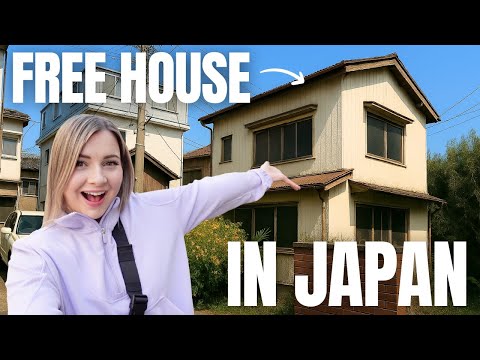
    16:40Tôi đã nhận được một căn nhà MIỄN PHÍ ở Nhật Bản! 🏠🇯🇵 (I Got a FREE HOUSE in Japan! 🏠🇯🇵)
    • However, depending on the location of the house, the width of the road in front of it, many factors, you may not be able to tear down the house.

      Tuy nhiên, tùy thuộc vào vị trí của ngôi nhà, độ rộng của con đường phía trước nó và nhiều yếu tố khác, bạn có thể không thể phá dỡ ngôi nhà.

    • However, depending on the location of the house, the width of the road in front of it, many factors, you may not be able to tear down the house.

      Tuy nhiên, tùy thuộc vào vị trí của ngôi nhà, độ rộng của con đường phía trước nó và nhiều yếu tố khác, bạn có thể không thể phá dỡ ngôi nhà.

    A2 sơ cấp

    Bên trong lối đi bộ ngầm dài nhất Singapore (Có Trung tâm thương mại!) | Giờ Singapore (Inside Singapore’s Longest Underground Walkway (With Malls!) | Singapore Hour)

    11:02Bên trong lối đi bộ ngầm dài nhất Singapore (Có Trung tâm thương mại!) | Giờ Singapore (Inside Singapore’s Longest Underground Walkway (With Malls!) | Singapore Hour)
    • The scale and proportion of the UPL with the width and the height, it is actually quite generous.

      Tỷ lệ và kích thước của UPL so với chiều rộng và chiều cao thực sự khá rộng rãi.

    • The scale and proportion of the UPL, with the width and the height, it is actually quite generous.

      Thực tế, chiều cao của đường hầm là 4 mét, vì vậy nó mang lại cảm giác rộng rãi hơn.

    B1 trung cấp

    Hướng dẫn Auto Layout Figma cho người mới bắt đầu (2025) (Figma Auto Layout Tutorial for Beginners (2025))

    08:51Hướng dẫn Auto Layout Figma cho người mới bắt đầu (2025) (Figma Auto Layout Tutorial for Beginners (2025))
    • This arranges your elements vertically The third one is Horizontal It arranges your elements horizontally The fourth one is Grid This is a new update still in beta It allows you to edit the layout in a grid format We'll go over each of these in detail Don't worry, by the end of this video, you'll understand how to use every single button here Let us start with the Freeform setting You'll see W and H right below this button W stands for Width and H stands for Height You can use these fields to adjust the size of your element You can type in a number, hover over the letter and drag to change it Or do it the most organic way Hover over the edge of the element and drag until you see a number you like I like multiples of 4 To the right, you'll see a square icon If you click it, it locks the aspect ratio of the element So the width and height stay proportional Let's say you are redesigning a YouTube thumbnail A YouTube thumbnail has a specific aspect ratio So locking it can prevent your cat, your kid, and mostly you from messing it up One very, very important thing Make sure you select the right layer In a real design project, you'll have so many layers So if you want to lock the aspect ratio of this circle, let's say Make sure to select the circle, not the frame That way, your circle will stay perfectly as a circle Not too fat, not too short Below Width, you'll find a field to adjust the gap between elements This only appears in freeform mode when your elements share the same gap At the bottom, you'll see the clip content checkbox This is super helpful when your frame is smaller than the elements inside For example, in a carousel design Checking clip content will hide the parts of the elements that extend outside the frame Alright, next let's move on to vertical and horizontal layouts These two are really similar So let's take a look at the horizontal one When you select a horizontal layout A wrap icon will appear on the right If you click it, the elements inside the frame will automatically wrap into multiple rows Perfect for when there's not enough space in a single line Below that, you'll see width and height settings Each with a drop-down If you click the drop-down, you can set the size to hug This makes the frame automatically adjust to fit its contents For example, if you add a new circle to the frame The width will automatically expand to hug the new element You can also set minimum or maximum values for width and height Let's say you don't want the frame to be wider than 750 pixels Just set the max width to 750 And even if you add more elements, the frame won't go beyond that limit Right below width, you'll see nine alignment options for your elements inside the frame These let you align your content to the top, center, bottom, left, right Basically any corner or edge you want You might not notice much difference right now if your frame is hugging the elements But once the frame is bigger, this alignment will become very obvious Next is the gap setting Click the drop-down and you'll see an option to set it to auto This automatically adjusts the space between elements to fill the frame evenly So satisfying to see everything snap into place Below that are your padding settings Padding is the space between the edge of the frame and the element inside it By default, padding is applied equally on parallel sides But if you click the little toggle next to it, you can customize the padding for each side Just like this Next, let's move to grid A brand new and still in beta feature in Figma Alright, I have a love-hate relationship with this, okay?

      Điều này sắp xếp các yếu tố của bạn theo chiều dọc. Tùy chọn thứ ba là Horizontal. Nó sắp xếp các yếu tố của bạn theo chiều ngang. Tùy chọn thứ tư là Grid. Đây là bản cập nhật mới vẫn đang ở giai đoạn beta. Nó cho phép bạn chỉnh sửa bố cục theo định dạng

    • Because it was released literally one day after I finished editing my last auto layout tutorial So now here I am redoing everything all over again and throwing my last edit to trash But hey, it's a powerful feature With grid, you can snap your elements into a clean grid layout You can also set your elements to span multiple rows or columns Think about designing bento boxes on a website But I still don't like bento box, bleh You can also manually adjust the width and height of each row or column Like this On the right panel, you'll find controls to set up as many rows and columns as you want Just click this big grid thingy And with the grid layout, you can also select the element's unit And set their width and height to fill container I love this setting Now, whenever you change the gap size or resize the frame All the elements will adjust automatically to fill in those grids So satisfying There is one more button The auto layout settings button on the right Click this opens more controls Let's try an example by adding a thick stroke to these circles By default, the stroke will go outside the frame If you change the dropdown to include the stroke in the layout The strokes will stay inside the frame So this is what it does I actually haven't had a chance to use this Now, let us set the gap between elements to a negative number Think about Instagram like where the profile pictures overlap You can use the dropdown here to switch between Whether you want the first or last element to show on top Just one more setting left For this one, let's add an icon and some text If you use auto layout, they'll align automatically And if you make the text bigger, the layout will adjust like this But if you turn on align text baseline The icon will align with the baseline of the text No matter how big or small the text gets However, this doesn't work well with icons that have padding inside Which is like all of the icons I use So I don't know how to use this Now let's talk about using auto layout in a real-world scenario This is really really important So pay attention Take this YouTube card element as an example How would you fix this layout using auto layout?

      Vì nó được phát hành chỉ một ngày sau khi tôi hoàn thành việc chỉnh sửa bài hướng dẫn tự động bố cục cuối cùng của mình. Vậy là bây giờ tôi phải làm lại mọi thứ từ đầu và vứt bản chỉnh sửa cuối cùng vào thùng rác. Nhưng mà, đây là một tính năng mạnh mẽ. V

    B1 trung cấp

    Mỗi Nhà Nhỏ Là Một Gói Khác Nhau Trong The Sims 4 | Phần 2 (Every Tiny Home is a Different Pack in The Sims 4 | Part 2)

    56:42Mỗi Nhà Nhỏ Là Một Gói Khác Nhau Trong The Sims 4 | Phần 2 (Every Tiny Home is a Different Pack in The Sims 4 | Part 2)
    • but I mean, come on, it's the same width as a two-tile door.

      Và đó thực sự là toàn bộ ngôi nhà Brickity Brackity dành cho bà đáng yêu của tôi.

    • It's the same width as a two tile door.

      Nó có cùng chiều rộng với cửa hai ô gạch.

    B1 trung cấp

    Bảng cân đối kế toán của Cục Dự trữ Liên bang (Federal Reserve Balance Sheet)

    09:57Bảng cân đối kế toán của Cục Dự trữ Liên bang (Federal Reserve Balance Sheet)
    • Actually, it should be they should have the same width, not that the width matters that much,

      Điều đó thật thú vị khi xem xét.

    • They should have the same width, not that the width

      Chúng nên có cùng chiều rộng, không phải là chiều rộng

    B1 trung cấp