shortcut
US /ˈʃɔrtˌkʌt/
・UK /'ʃɔ:tkʌt/
B2 trung cao cấp
n.danh từđường tắt
Taking shortcuts usually compromises quality
Phụ đề video
Làm thế nào để trở nên mạnh mẽ hơn? Nghe giáo sư nói gì... - Cal Newport (Phụ đề Anh-Việt) (如何把自己變強?聽聽教授怎麼說... - Cal Newport 卡爾‧紐波特(中英字幕))

- and there's really no shortcut to deliberate practice to gaining mastery in almost any field.
Và điều bạn thấy là họ cố ý luyện tập.
- and there's really no shortcut to deliberate practice to gaining mastery in almost any field.
Và điều bạn thấy là họ cố ý luyện tập.
5 Điều tôi không bao giờ làm khi học tiếng Anh (5 Things I Never Do When Learning English)

- And I think because of that I was also trying to look for this magic language learning method that would just work like this for me, that would make me memorize everything super fast, that would give me a shortcut, and
Và tôi nghĩ vì thế mà tôi cũng tìm kiếm phương pháp học ngôn ngữ thần kỳ nào đó sẽ hiệu quả với tôi, giúp tôi ghi nhớ mọi thứ siêu nhanh, cho tôi một lối tắt, và
- that would make me memorize everything super fast, that would give me a shortcut,
Nó quá mơ hồ.
30 Năm Lời Khuyên Kinh Doanh Trong 13 Phút (Từ Một Tỷ Phú) (30 Years of Business Advice in 13 Minutes (from a Billionaire))

- There is no shortcut for any of these decisions.
Có lẽ bạn cần có mặt ở thủ phủ của một bang, điều đó ổn, nhưng hãy bắt đầu từ đó, rồi đến Washington.
- There is no shortcut for any of these decisions.
Không có đường tắt nào cho những quyết định này.
Tiếng Anh NGHE THẬT SỰ NHƯ THẾ NÀY (This is how English REALLY sounds)

- Think about it as a shortcut that the mouth takes as it connects those two sounds.
Did you, thay vì d và y, chúng ta có j, j, j, j, nó được coi là một âm vị, một âm trong tiếng Anh, không phải hai, d, y, j.
- Think about it as a shortcut that the mouth takes as it connects those two sounds.
Hãy nghĩ về nó như một lối tắt mà miệng thực hiện khi nó nối hai âm đó lại với nhau.
iPhone 15/15 Pro Đánh giá ban đầu: Không chỉ có USB-C! (iPhone 15/15 Pro Impressions: Not Just USB-C!)
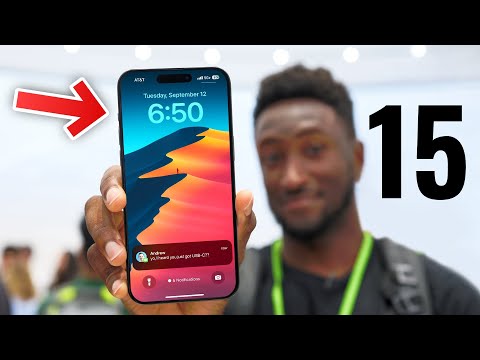
- Or the last option actually is you can have it trigger a series shortcut, which as you know, can technically do almost anything, including basically launching any app on your phone.
Và những thứ đó chủ yếu nằm ở chất lượng hoàn thiện,
- is you can have it trigger a Siri shortcut, which, as you know, can technically do almost anything, including basically launching any app on your phone.
như 480 megabit mỗi giây.
Làm việc với Tệp và Thư mục (Working with Files and Directories)

- First, return to the home directory of Bob using the CD command followed by the tilde, a shortcut to return home.
Giờ chúng ta sẽ hiển thị nội dung của một tệp văn bản.
- First, return to the home directory of Bob using the CD command, followed by the tilde a shortcut to return home.
Đầu tiên, quay về thư mục gốc của Bob bằng lệnh CD, theo sau là dấu ngã, một phím tắt để quay về nhà.
Một thay đổi này đã chữa khỏi chứng nghiện điện thoại của tôi (This 1 change cured my phone addiction)

- So if you have an iPhone you can shortcut this by going into your settings accessibility color scale and adding it as a shortcut so that three taps on your side button immediately puts it into grayscale mode.
Vì vậy, nếu bạn có iPhone, bạn có thể tạo shortcut bằng cách vào cài đặt accessibility color scale và thêm nó làm shortcut để ba lần nhấn vào nút cạnh ngay lập tức chuyển nó sang chế độ grayscale.
- So if you have an iPhone, you can shortcut this by going into your Settings, Accessibility, Color Scale,
Vì vậy, nếu bạn có iPhone, bạn có thể tạo shortcut bằng cách vào cài đặt accessibility color scale và thêm nó làm shortcut để ba lần nhấn vào nút cạnh ngay lập tức chuyển nó sang chế độ grayscale.
Top 10 Bản Hit Đơn Cú Vĩ Đại Nhất Từ Nhạc Phim (Top 10 Greatest One-Hit Wonders From Movie Soundtracks)
- 7 no easy way out by Robert Tepper Rocky IV there's no easy way out there's no shortcut the art of the movie montage usually arrives with a style of song all its own, one that evokes inspiration, determination and power.
7 no easy way out của Robert Tepper trong Rocky IV, không có lối thoát dễ dàng, không có đường tắt, nghệ thuật dựng phim thường đi kèm với một phong cách bài hát riêng, một bài hát gợi lên cảm hứng, sự quyết tâm và sức mạnh.
- There's no shortcut harm there's no easy way out.
Không có đường tắt, không có lối thoát dễ dàng.
Hướng dẫn Photoshop - Xóa vật thể khỏi ảnh (Photoshop Tutorial - Removing objects from images)

- And I'm going to copy this area to its own layer using the keyboard shortcut command J.
Và tôi sẽ sao chép khu vực này vào một lớp riêng biệt bằng cách sử dụng phím tắt J.
- And I'm going to copy this area to its own layer using the keyboard shortcut Command J.
Sự tham lam của một người đã thay đổi thế giới như thế nào (How the Greed of One Man Changed The World)

- Some try the Panama shortcut - sail south, hike through jungle, sail north.
Họ tự gọi mình là 49ers theo năm họ đến, hay Argonauts, như những anh hùng săn tìm Bộ lông cừu vàng.
- Some try the Panama shortcut.
Một số người thử đường tắt Panama.